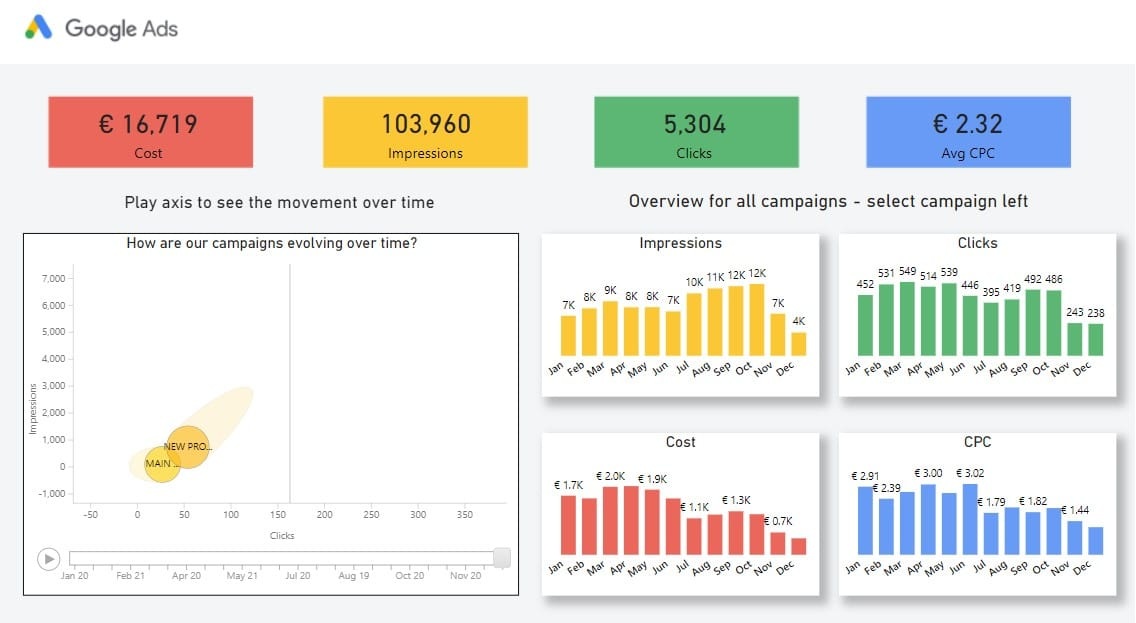
Every time a client asks me for “a media dashboard that updates itself”, the first technical question is always the same: how do you get data out of Google Ads and into Power BI without depending on someone exporting a spreadsheet every Monday?
The answer starts with bad news: there is no native Google Ads connector in Power BI. Unlike Google Analytics, which has its own connector in Power BI Desktop, Google Ads was left out. Anyone expecting a two-click setup ends up frustrated.
The good news is that there are four solid ways to solve it, and the choice is not technical, it’s a business decision. Each one fits a different kind of operation and budget. Choosing wrong means paying a monthly fee you didn’t need, or building an engineering setup the project couldn’t support. Here is an honest breakdown of all four.
What Each Option Solves
The right question is not “which one is best” but “which one fits my operation today and will still work a year from now”. Before the details, here is the map:
Paid connector (Supermetrics, Coupler.io, Dataslayer): you connect the account, choose metrics in a panel, and the data arrives in Power BI on a scheduled refresh. Low technical effort, recurring monthly cost.
Google BigQuery as an intermediate layer: you send raw Ads data to BigQuery, and Power BI reads BigQuery, which does have a native connector. More robust, pay-as-you-go instead of a subscription, requires data modeling skills.
Google Ads API + Python: a script calls the official API directly and delivers the data in a format Power BI can read. Near-zero cost, full control, and the maintenance is on you.
Manual export or Google Sheets: the basic option, which is sometimes enough. No real-time data and no scale, but it works for a small account with occasional reports.
Option 1: Paid Connector, the Professional Shortcut
Tools like Supermetrics, Coupler.io and Dataslayer use Google’s official API to build the bridge. You authenticate your Google Ads account, choose metrics and dimensions in a visual panel, point the destination to Power BI, and you’re done: the data arrives structured and on a scheduled refresh.
It is the fastest way to have a working dashboard the same day, without writing a single line of code. For an agency managing several clients, it makes the most sense: the time saved is worth the subscription, and tools like Supermetrics let you publish to Power BI Service with row-level security, which is useful when several clients view the same report with separate data slices.
Cost is the weak point. It is a recurring fee, in dollars, and you have a middleman between Google and your report. For a single account it adds up; across a client portfolio it gets diluted. Before committing to a plan, I always simulate the worst month (more campaigns, keyword-level granularity) and check that it fits the plan, because the real bottleneck of these connectors is usually the row limit, not the features.
Option 2: BigQuery, the Foundation That Ages Well
Here you use the Google Ads Data Transfer Service to load raw data into BigQuery, and Power BI reads BigQuery through its native connector. It is the most robust architecture of the four.
The advantage is twofold. First, cost: you pay for usage (storage and queries), which at high volume is cheaper than a monthly connector. Second, you get a real data foundation: long history without reprocessing, and the ability to aggregate and clean the data in SQL before it reaches Power BI, keeping the report light and fast.
The learning curve is steeper at the start. You need to know BigQuery and the Ads schema, which is quite extensive. But it’s the investment that pays for itself as the project grows, and it’s the option I recommend when a client wants to evolve toward a real marketing data warehouse. Starting here avoids a painful migration later.
Option 3: Google Ads API + Python, Full Control
For teams already working in Python, this is the most elegant and cheapest option. A script calls the Google Ads API directly, processes the data however you want, and delivers the result in a format Power BI can read: a file in storage, a table in BigQuery, or a folder that the Power BI gateway refreshes on schedule.
The cost is practically zero, just the infrastructure you already have. And the freedom is total: the same routine that feeds Power BI can generate a PDF, an email or a WhatsApp message. It’s the option that truly integrates with automation, hooked up to a cron job that runs on its own.
The price of that freedom is maintenance. OAuth authentication with a developer token and refresh token, pagination and API versioning all become your responsibility. When Google releases a new version, you are the one who updates. In practice, the workflow is to install the official library, set up the credentials, run the GAQL query and store the result. From there, Power BI just reads the destination.
Option 4: Manual or Google Sheets, Sometimes Enough
Don’t underestimate the basics. For a small account, with a monthly report and no need for real-time data, exporting from Google Ads to Google Sheets and connecting Power BI to the sheet does the job. Power BI reads Sheets natively, and the refresh follows the sheet.
Zero cost, and maintenance anyone on the team can handle. In exchange, it’s not real-time, it becomes a manual bottleneck and it doesn’t scale. It’s a stopgap, not a permanent solution, but overcomplicating something that doesn’t need it is also waste.
Which One I Would Choose
The decision is about business, not technology:
Agency with several clients and tight deadlines: paid connector. The time saved is worth the fee, and row-level security keeps access organized.
High-volume client with a long-term view: BigQuery. Cheaper at scale, and it becomes the foundation of a data warehouse.
Teams fluent in Python who want zero cost with built-in automation: direct API. More work to set up, total freedom afterwards.
Small account, occasional reports: Sheets as a middle layer. Don’t overcomplicate what doesn’t need it.
In my own work, options 2 and 3 go together: a Python script orchestrates the load into BigQuery, and Power BI reads the already-processed layer. It’s the best balance of control, cost and robustness, and it’s what I set up when the report is recurring and the client is in it for the long haul.
Because in the end the logic is the same as in the retail business where I started: the best solution is not the most expensive or the most sophisticated. It’s the one that fits the budget and still works next month.
Let’s Talk
If you own or manage a business and you’re tired of hand-built media reports, I’ll set up the right bridge for your volume and budget, without selling you a subscription you don’t need. Message me on WhatsApp.
If you are a recruiter or building a growth team, my background, cases and stack are on the career page and on LinkedIn.